Loving the Kaoss Pad V
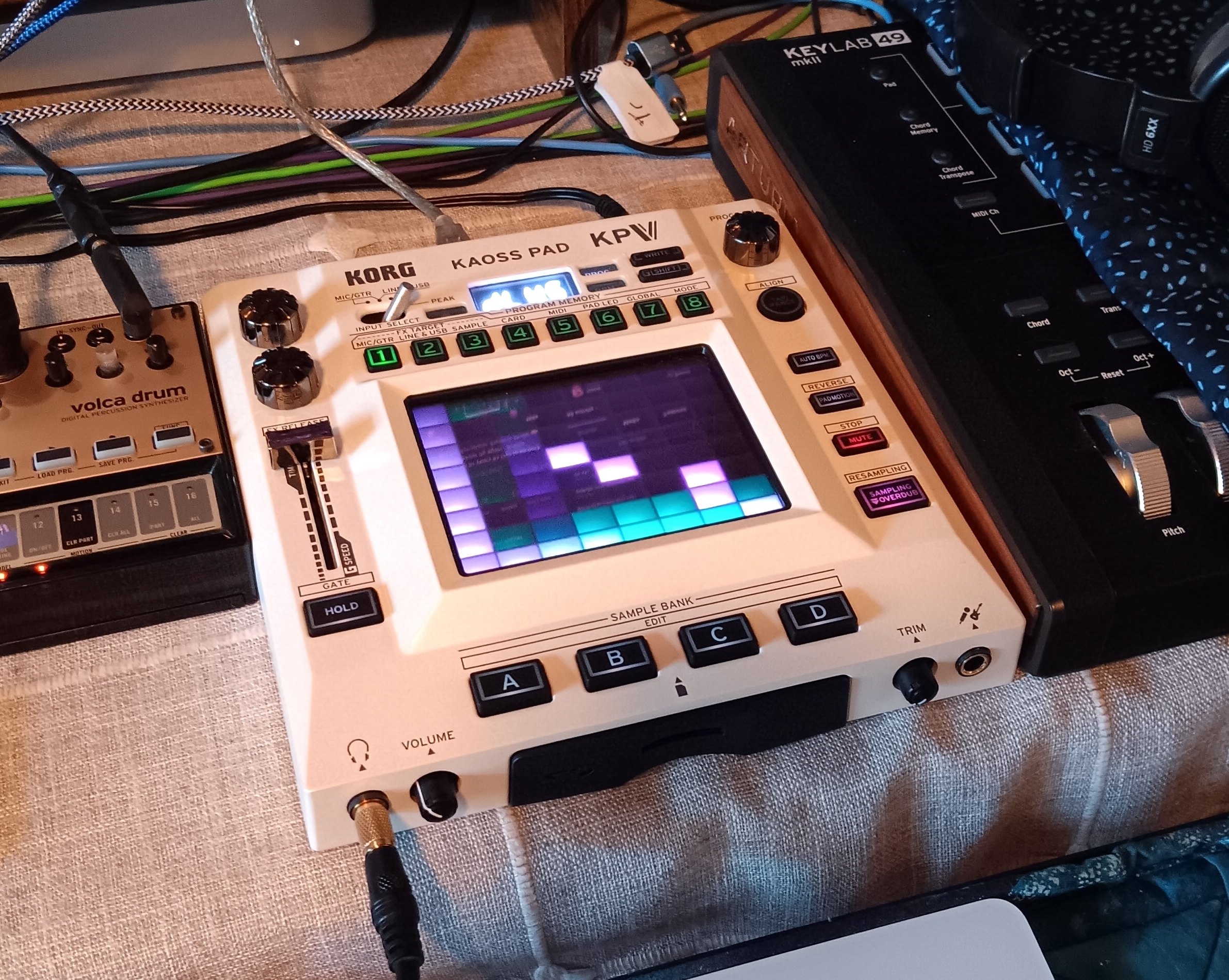
I recently scored a used Korg "Kaoss Pad V." This device ("KPV") is new to the market as of a few months, and it is the fifth version in a long line of Kaoss pads.
The Past, The Present
The line was traditionally geared toward live performance and DJ set-ups with microphone input, stereo RCA in/outs, and 5-pin MIDI. But this new version is class-compliant and has a USB MIDI A input on the back. So now the computer and DAW can see this as a proper MIDI/audio device. Woo!
This is great news to me, as I am a recording musician and had been drooling over the previous version for a long time. But it wouldn't interface with the computer like I wanted. I needed it to work seamlessly with my DAW… Enter the KPV!
Let's look at a few use-cases:
As a mixer aux send/return
This is the traditional way to apply effects in the music studio. And of course that method works fine with the KPV as a channel effect to dial-in. Even though the KPV has RCA stereo in/outs, and my mixer has stereo returns (but mono send), I could only get things to work using the left channels of the KPV.
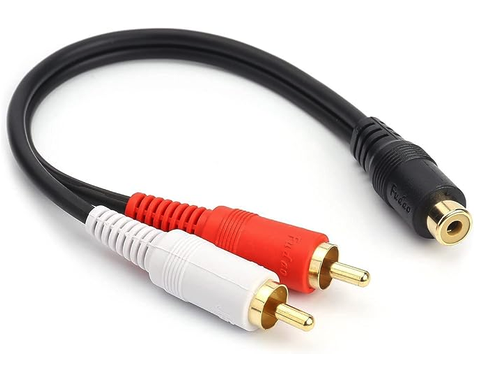
[EDIT] I just realized that the KPV only sends the right side out if you have a right channel plugged into it. So, for my mixer mono-send, I just need an RCA splitter adapter, so I can go to both stereo input channels on the KPV. ...Ordered! :)
USB MIDI to a device directly (with a program)
There are fancy MIDI routing apps out there for sure. Also, modern programming languages all have a functional MIDI interface. And there are a HUGE number of music programs out there.
The coolest one of mine is (of course, the latest) a MIDI filter for simultaneously controlling multiple MIDI devices in the studio. That is, you can transfer MIDI messages to and from any USB computer-connected devices in your studio. (And For other programmers out there, a simpler, command-line program is this Perl code continuous.pl)
With Logic Pro
So, this is exactly what I dreamed about: Recording real-time effects based on playback of another existing track in my DAW.
It took me a bit of puzzling, trial, and error, but I finally figured out how to make the KPV play nice in my DAW, Logic Pro. In order to use it to record fresh effects for an existing audio track, do this:
Set the KPV to "SEND", not "DIRECT" and "Line & USB" as the "FX Target."
a. If not already set (known by holding down shift and seeing which target button LED is lit), the FX Target is set by first unsetting the previous target. (Wtf, Korg?)
b. So, hold down the shift-key and press "Line & USB." Then do this again, to set the FX target.
c. Fortunately you only have to do this once.
Have an existing audio track to effect open in your DAW.
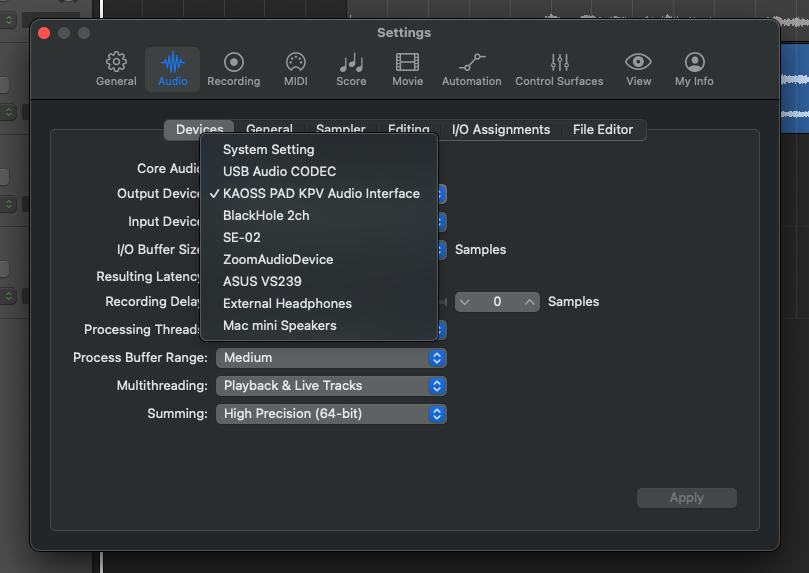
Now, go to the app settings and switch the audio device I/O from the default system setting to the "KAOSS PAD KPV" audio interface for both input and output.
Make a new audio mic/line-in track for the Kaoss Pad and arm it for recording.
a. You might mute the track and monitor with headphones from the KPV.
Hit record and make fabulous X-Y gestures on the KPV!
a. The audio from the KPV will be recorded onto the track.
Go back to the settings and switch the audio device back to the system default.
Give it a listen!
I/O Plugin?
The DAW has a generic I/O plugin. However, I can't get it to work with the KPV as a separate audio device. Alas!
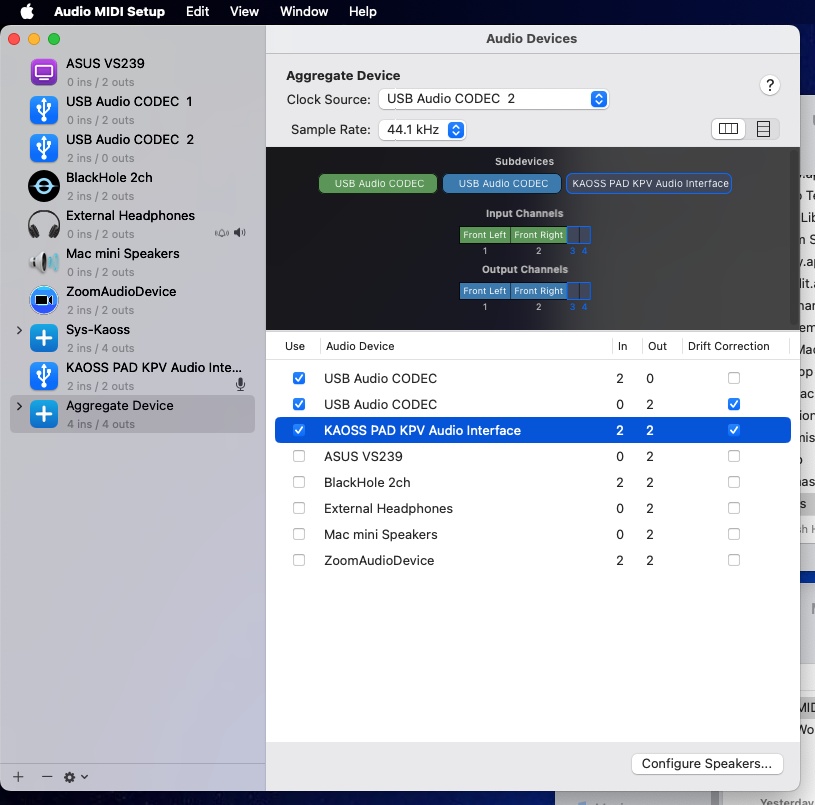
[EDIT] A friendly person on the Interwebs suggested that on a Mac, you can make an "aggregate device" with the Audio Midi Setup utility. This screenshot says more than I can about it:
With Reaper
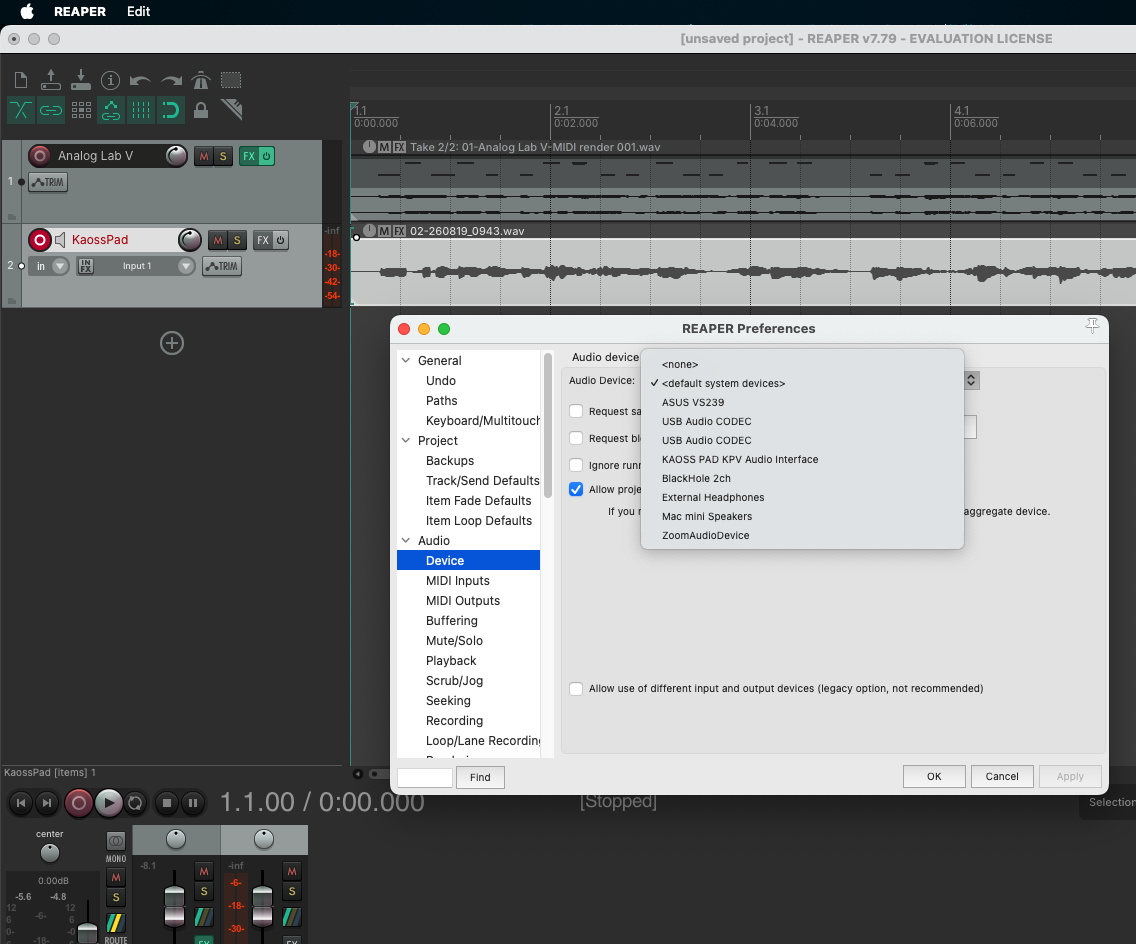
And it has the same I/O plugin, too. So you do the same things as in Logic Pro: Have a source audio track (not plain MIDI). Add a new, blank track to record the Kaoss Pad. Switch the audio device in settings to the Kaoss Pad (which must be in "Send" mode). Mute the track and monitor with headphones on the KPV. Arm the new track for record and go for it, making X-Y pad motions. This will be recorded to the new track. Then when finished, switch the audio device back to the original system settings, un-mute and play!